


#1 Taking a screenshot: Hold the ‘home’ button then hit the ‘power/sleep’ button
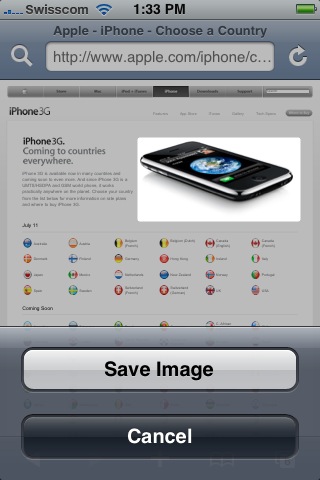
#2 Saving an image from Safari: Tap on an image and hold, a pop up will display
 |
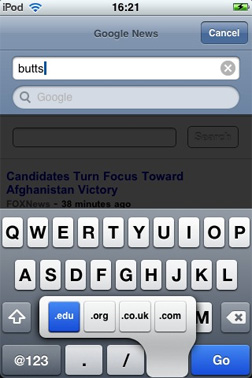 |
#3 More domain name extension: hold the ‘.com’ if you are in Safari or the ‘.’ button in mail composer, and you will be proposed more 3 extensions (.net, .edu, .org)
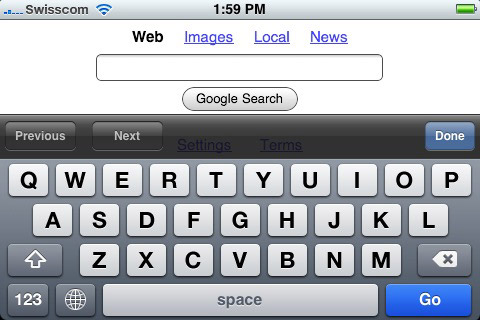
#4 Bigger Keywords: Simply rotate the iPhone horizontally before tapping on the address bar, the onscreen keyboards appear much bigger
|
|
#5 Deleting an element: Slide your finger from the left to the right of the list element you want to delete, a delete button will appear
#6 Reboot: press and holde both ‘Home’ and ‘power/sleep’ for ten seconds.
Update … will be below:
#7 Quick Player Access: when you iPhone is locked, press 2 times the ‘home’ button it will display the iPod player, don’t even need to unlock it
Ahmet
MAAAN!! This thing is awsome ! Thank for the
——>COOL TIPS<——-